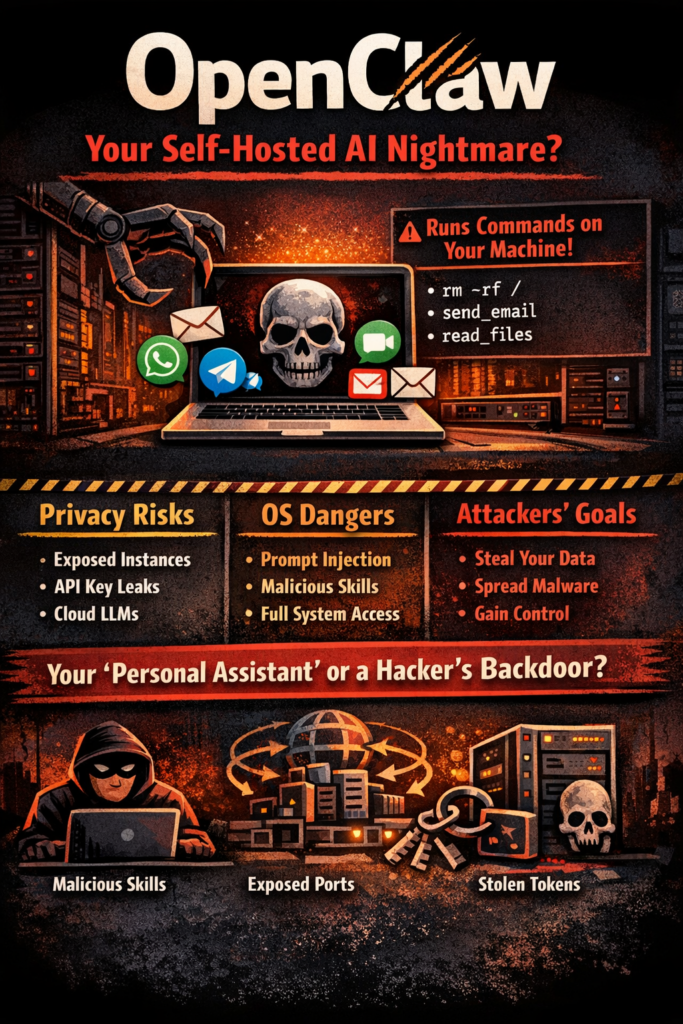
OpenClaw is one of those “this is either the future or a security incident” projects.
It’s an open-source, self-hosted AI agent that lives inside your existing chat surfaces (Telegram / WhatsApp / Slack / Discord, etc.) and can act, not just respond. That means email, calendar, files, shell commands, bookings, automations… whatever skills/connectors you wire in. The upside is obvious. The downside is that you just gave a probabilistic system “hands” on your machine and identity stack.
This article breaks down what it is, why it’s exploding right now, and the reality on privacy + OS safety (plus a hardening checklist that’s actually useful).
What OpenClaw is (in plain English)
Think of OpenClaw as:
- A chat-first interface (you talk to it through messaging platforms)
- A tool runner (it can execute actions via skills: email, calendar, web, files, terminal)
- A self-hosted gateway (you run it locally/on a server; you own the deployment)
- An ecosystem (skills marketplace + community extensions)
So it’s not “a chatbot.” It’s closer to “automation middleware” that happens to be driven by an LLM.
The repo and docs explicitly warn that inbound messages should be treated as untrusted input (because that’s exactly what they are).
Why it’s suddenly everywhere (early 2026)
A few things collided at once:
- Agent capability crossed the “useful” line (email/calendar/terminal + chat UX).
- Self-hosting became the meme (“my own assistant, my own data”).
- Skill marketplaces made it explode — one-click functionality is viral.
- Name-change drama + media cycle amplified it (Clawdbot → Moltbot → OpenClaw).
- Mass adoption in China pushed it into “national warning” territory (MIIT cautioning about misconfig/abuse).
And yes, the GitHub stars are enormous for something this new.
🚀 Follow Me on X – New Account
My previous X account @AngrySysOps was suspended.
I am continuing the same tech, cybersecurity, and engineering discussions under a new handle.
Follow @TheTechWorldPod on X for daily insights, threads, and podcast updates.
The core security truth: the “AI” isn’t the only risk
Most people focus on prompt injection (and they should), but the bigger picture is simpler:
OpenClaw is a high-privilege integration layer with access to your identity, data, and automation surfaces.
That means your risk isn’t just “the model gets tricked.”
It’s also:
- exposed web gateways / weak auth
- leaked tokens
- malicious skills
- supply chain / typosquats
- direct API attacks that bypass “chat” entirely
Security researchers have observed attackers going straight for exposed interfaces and APIs, not even bothering with clever AI manipulation.
Privacy: strong in theory, fragile in practice
When privacy is genuinely good
Privacy can be excellent if you run OpenClaw like a serious service:
- hosted on your own hardware (or a locked-down server)
- not exposed publicly
- secrets handled properly
- minimal telemetry
- local models or privacy-preserving inference choices
In that setup, the “assistant company” doesn’t automatically see your data — because there is no company server in the middle.
Where people destroy privacy (fast)
In real-world deployments, privacy collapses when users:
- Expose the gateway to the internet (often without auth)
- Drop API keys in plaintext configs
- Install random skills from the marketplace
- Use cloud LLM providers without understanding the data path
- Let the agent read email/drive/docs, then feed that content into prompts
🚀 Follow Me on X – New Account
My previous X account @AngrySysOps was suspended.
I am continuing the same tech, cybersecurity, and engineering discussions under a new handle.
Follow @TheTechWorldPod on X for daily insights, threads, and podcast updates.
China’s MIIT warning specifically calls out misconfiguration leading to breaches/attacks, which is basically the “default timeline” of any viral self-hosted tool.
My take: OpenClaw can be privacy-forward, but only if you treat it like infrastructure, not a toy.
OS safety: high risk by design
OpenClaw’s value proposition is that it can do things:
- run shell commands
- read/write files
- access inbox and calendar
- authenticate to services
- automate workflows
That’s also why it’s dangerous: compromise the agent, and you’ve effectively built a power-user backdoor on your own machine.
The big three OS-risk buckets
1) Prompt injection (and “tool coercion”)
OpenClaw’s own security docs are blunt: system prompts are soft. Real safety comes from hard controls like allowlists, approvals, sandboxing, and tool policies.
Translation: if your agent can run rm -rf or exfiltrate files, a clever message can try to talk it into doing that, and you need enforcement outside the model to stop it.
2) Malicious skills/extensions
This is the biggest “mass compromise” vector.
Reporting has shown malware inside marketplace skills (info-stealers targeting API keys, SSH creds, wallet keys, browser secrets, etc.).
You don’t even need a zero-day if you can convince a user to install a “productivity skill” that quietly instructs them (or the agent) to run something dumb.
3) Exposed instances + direct interface attacks
Once there’s a public surface, it becomes a target.
Multiple security writeups describe widespread exposed OpenClaw deployments and active probing of agent endpoints.
The current “security reality” (Feb 2026)
If you’ve been on security X / BlueSky / LinkedIn lately, you’ve seen the vibe: “this is cool, but it’s a minefield.”
- Cisco frames personal AI agents like this as a potential enterprise nightmare (covert data channels, bypassing traditional controls).
- The Verge covered malicious skills in the marketplace ecosystem.
- Reuters reported China’s public warning about OpenClaw security risks and misconfig-driven exposure.
- Malwarebytes documented impersonation/typosquat campaigns during the rebrand chaos (classic supply-chain setup).
- Snyk published research on malicious/vulnerable agent skills and dangerous patterns like remote fetch-and-execute.
- Kaspersky claims an audit identified a large number of vulnerabilities (treat exact counts as directional unless independently verified, but it reinforces the same theme: rapid growth, uneven security maturity).
You can love the idea and still accept that the ecosystem is in “early, chaotic, exploitable” mode.
A practical threat model (Angry Admin edition)
If you’re going to run OpenClaw, assume the following attacker goals:
- Steal secrets (API keys, OAuth tokens, mail access, SSH keys)
- Lateral movement (use agent’s permissions to reach other systems)
- Persistence (install a stealthy skill, scheduled task, or hidden service)
- Exfiltration (email/drive/documents -> cloud model -> attacker recall)
- Social exploitation (message your agent in a way that triggers unsafe actions)
Now map that to trust boundaries:
- Chat channel is untrusted input
- Skills marketplace is untrusted code/config
- LLM provider (if cloud) is a data egress path
- Local machine is the blast radius
- Your email/calendar is the identity hub
That’s the mental model you need. Not “it’s self-hosted so it’s safe.”
Hardening checklist (minimum viable safety)
If you’re a homelab / power user and you still want to run it, this is the baseline I’d enforce.
1) Contain it
- Run in Docker/VM with no host mounts unless required
- Separate user account, no admin/root
- Separate machine if possible (agent box ≠ daily workstation)
2) Lock the network
- Bind to localhost by default
- If you must expose it, put it behind:
- reverse proxy with auth
- IP allowlist / VPN only
- rate limiting
- WAF rules where sensible
3) Treat “skills” like code execution
- Install only from known authors
- Prefer reviewed/verified skills where available
- Audit any skill that includes “run this curl/wget” style instructions
- Consider skill scanners/monitors (community tooling exists specifically for this)
4) Require human approval for dangerous actions
- Anything that touches filesystem, shell, credentials, payments, or external posting:
- approval gate
- step-up auth
- explicit tool policy
OpenClaw’s own guidance emphasizes that hard enforcement must come from tool policy/approvals/sandboxing, not prompt text.
5) Secrets hygiene (non-negotiable)
- No plaintext tokens in repos
- Rotate keys regularly
- Use scoped OAuth tokens (least privilege)
- Store secrets in a vault/secret manager if you’re serious
6) Assume prompt injection is unsolved
Because it is. Treat it like phishing, you can reduce it, not eliminate it.
Should you run it?
“Yes” (with conditions)
- You’re technical, security-minded, and willing to operate it like infrastructure
- You isolate it, restrict it, and keep it off the open internet
- You understand that skills are basically third-party execution logic
“Not yet”
- You want a “click install, it just works” assistant
- You’re on a work laptop or enterprise environment without explicit governance
- You don’t want to maintain allowlists, approvals, and token hygiene
This is one of those tools where the meme is “privacy,” but the actual differentiator is “operational maturity.”
My bottom line
OpenClaw is a genuinely important moment in agentic tooling: chat-native automation with real action surfaces. But the same thing that makes it powerful (broad access + extensibility) makes it risky.
If you run it casually, you’re not “self-hosting for privacy.”
You’re deploying a high-privilege automation backplane that attackers and scammers are already actively targeting.
@angrysysops.com