🚀 Follow Me on X – New Account
My previous X account @AngrySysOps was suspended.
I am continuing the same tech, cybersecurity, and engineering discussions under a new handle.
Follow @TheTechWorldPod on X for daily insights, threads, and podcast updates.
There is a special kind of pain in enterprise infrastructure work.
Not the dramatic kind.
Not the screaming-data-center-fire kind.
The quiet kind.
The kind where a deployment fails, gives you a vague validation error, refuses to resume, refuses to delete cleanly, and leaves you staring at Lifecycle Manager wondering whether it is broken, you are broken, or both.
This is one of those stories.
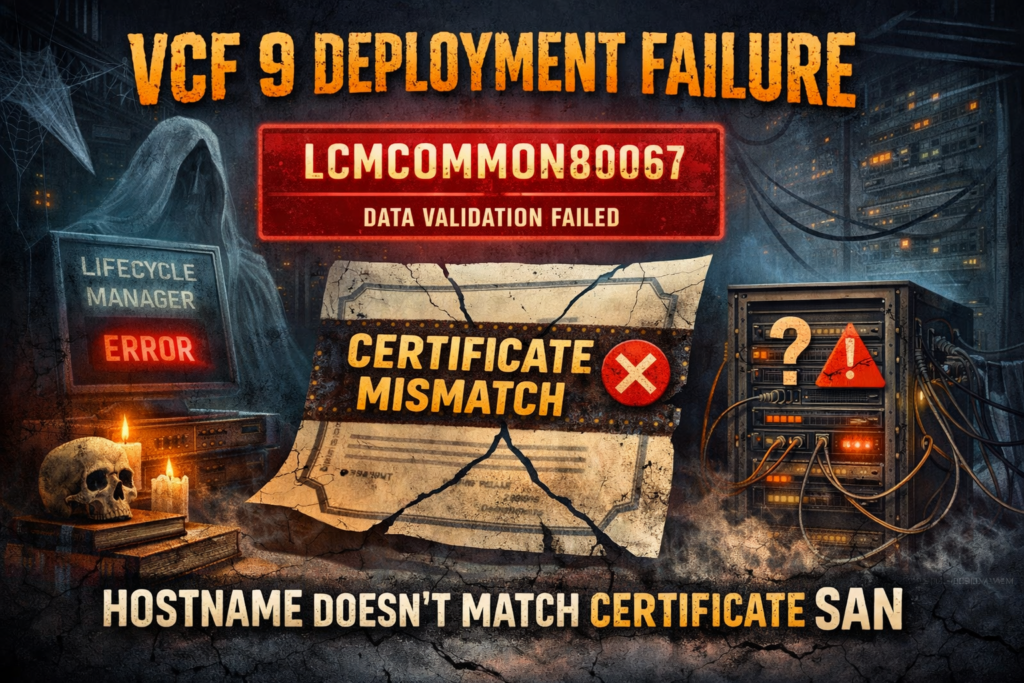
During a VCF 9 deployment, VCF Operations for Logs failed during deployment validation with:
Error Code: LCMCOMMON80067

Environment Data validations failed.

Data validation failed

com.vmware.vrealize.lcm.common.exception.EngineException: Data validation failed
That alone would already be annoying.
But it got better.
The failed deployment could not be resumed. It also could not be cleanly removed. Attempting to delete the failed component returned another error, this time pointing to hostname resolution trouble:
Error Code: LCMVROPSYSTEM30023

java.net.UnknownHostException
At that point, it looked like the deployment was stuck in a half-born, half-dead state inside Fleet Manager.
And yes, rebooting nodes and taking the cluster offline and back online did not magically fix it.
Because the real problem was not the deployment workflow.
It was the certificate.
The symptom
The deployment of VCF Operations for Logs fails early in the process during environment validation.
The visible error is:
LCMCOMMON80067
Environment Data validations failed
Data validation failed
After that, you may also hit a second problem:
- deployment cannot be resumed
- delete operation fails
- Fleet Manager still thinks the component exists
- cleanup becomes messy
In some cases, deletion attempts may produce an UnknownHostException, especially when the failed deployment references a hostname that Lifecycle Manager cannot properly resolve or validate afterward.
That combination makes the issue look bigger than it really is.
It feels like a broken product lifecycle state.
But the underlying cause is much more specific.
The actual root cause
The deployment fails because the hostname used for VCF Operations for Logs does not match the certificate Subject Alternative Name (SAN).
That is it.
The hostname entered during deployment must match what is present in the certificate. If the certificate does not include the exact FQDN you are deploying with, validation fails.
In the relevant log, the failure shows up as a certificate hostname validation issue, with wording similar to:
Certificate validation for component vrli
status: FAILED
The hosts in the certificate doesn't match with the provided/product hosts
Use a valid SAN certificate with all hostnames present for product nodes or use a wildcard certificate
This is one of those problems that can waste a lot of time because the top-level deployment error is generic, while the real cause is buried in the logs.
So the deployment is not failing because VCF 9 is randomly broken.
It is failing because certificate identity validation is doing exactly what it is supposed to do.
Why this is so frustrating
Because the platform does not always make the root cause obvious from the UI.
From the operator perspective, it looks like this:
- you start deployment
- validation fails
- resume does not work
- delete does not work cleanly
- hostname-related exceptions appear
- rebooting does nothing
- you start questioning everything
Meanwhile, the real issue is a mismatch between:
- the hostname/FQDN supplied during deployment
- and the SAN entries on the certificate
That mismatch blocks deployment from the start.
So if you imported a certificate and assumed “close enough” was good enough, VCF 9 politely disagrees.
🚀 Follow Me on X – New Account
My previous X account @AngrySysOps was suspended.
I am continuing the same tech, cybersecurity, and engineering discussions under a new handle.
Follow @TheTechWorldPod on X for daily insights, threads, and podcast updates.
Where to confirm it
The most useful place to verify this is the Lifecycle Manager log:
/var/log/vrlcm/vmware_vrlcm.logLook for certificate validation failures referencing the Operations for Logs component.
Typical indicators include:
- certificate host validation failed
- SAN recommendation messages
- hostnames in certificate do not match provided product hosts
If you see that, stop troubleshooting reboot sequences, service states, and general deployment recovery logic.
You are dealing with a certificate identity problem.
The fix
The resolution is straightforward once you know the real cause.
1. Delete the failed VCF Operations for Logs component
From Fleet Manager / Lifecycle area, remove the failed component entry.
Typical path:
Fleet Management → Lifecycle → VCF Management → Components
Delete the failed VCF Operations for Logs component.
2. Retry deployment
Start the deployment again.
3. Use the correct hostname
Make sure the hostname you define during deployment matches exactly what is in the certificate SAN.
Not approximately.
Not “same short name.”
Not “DNS resolves, so it should be fine.”
Exactly.
4. Validate the certificate before deployment
Before clicking through the wizard, verify the imported certificate includes the exact FQDN for the Operations for Logs appliance.
If you are using SAN certificates, confirm the required hostname is explicitly listed.
If appropriate in your environment, a wildcard certificate may also be acceptable, but only if it properly covers the deployed hostname and aligns with your organization’s standards.
What to check before you deploy again
Here is the practical lesson from this one:
Match these three things every single time:
- deployment hostname
- DNS resolution
- certificate SAN entries
If any one of those is off, you are inviting a failed deployment and a messy cleanup.
Also, do not trust the UI alone.
If the error looks too generic, go straight to the logs.
Because “Environment Data validation failed” is not a diagnosis.
It is a shrug.
The takeaway
If VCF Operations for Logs fails in VCF 9 with:
LCMCOMMON80067and then becomes difficult to resume or delete, check the certificate before you waste hours chasing lifecycle ghosts.
In this case, the root cause was simple:
the FQDN used during deployment did not match the certificate SAN
That mismatch caused validation failure, blocked deployment, and left cleanup in an ugly state.
Once the failed component was removed and deployment was retried using a hostname that matched the certificate correctly, the issue was resolved.
Classic infrastructure lesson:
Sometimes the platform is not haunted.
Sometimes the certificate is just lying to you.
Final advice from the trenches
Before deploying anything in the VCF Operations stack:
- verify the exact FQDN you plan to use
- inspect the certificate SAN carefully
- confirm DNS resolution forward and reverse if relevant
- do not assume a short name and FQDN are interchangeable
- and when Lifecycle Manager throws a vague validation error, go read the logs immediately
Because in enterprise land, certificates are still undefeated.
🚀 Follow Me on X – New Account
My previous X account @AngrySysOps was suspended.
I am continuing the same tech, cybersecurity, and engineering discussions under a new handle.
Follow @TheTechWorldPod on X for daily insights, threads, and podcast updates.
Check my VCF 9 deployment planner:
https://angrysysops.com/vcf9-journey-angrysysops.html