VMware released a new update for vCenter Server 7.0 -> vCenter Server 7.0 Update 3e ISO Build 19717403. This maintenance update delivers new features and fixes for VMware vSphere with Tanzu. For VMware vSphere with Tanzu updates, see VMware vSphere with Tanzu Release Notes. Download Filename VMware-vCenter-Server-Appliance-7.0.3.00600-19717403-patch-FP.iso Build 19717403 Download Size 8272.2 MB md5sum 3d4d977acd6072ff61db4a36909702e5 sha256checksum 6d67067d565fd530a6d047b079efff9019bdf28c63d04a904c43bcdf202d5c5d One…
Read moreCategory: vCenter
How to join vCenter Sever to the domain.
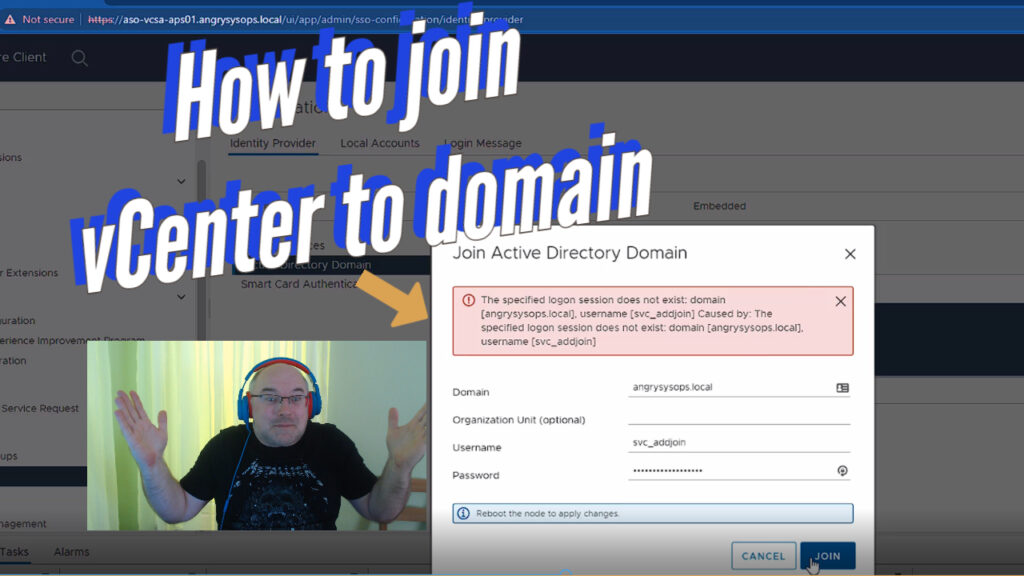
Today we will try to join our home lab vCenter Server to the domain. For this, you will need a Windows VM serving as the domain controller. If you skipped and did not install Windows-based DNS on your environment, now is the best time to review this video before continuing with today’s subject. To join…
Read moreHow to install vCenter Server 7.0 Update 3d (7.0.3.00500) – Step by step Video.
In this video, I am going to walk you through the process of installing vCenter Server 7.0 Update 3d (7.0.3.00500). The upgrade is marked as CRITICAL, hence it is important to upgrade your VCSA as soon as possible. Please remember to make a backup of your VCSA or take a snapshot before proceeding. Please like…
Read moreVMware vCenter Server 7.0 Update 3d has been released!
VMware released a new update for vCenter Server 7.0. vCenter Server 7.0 Update 3d ISO Build 19480866. This release resolves CVE-2022-22948 View VMware vCenter Release and Build Number History NOTE: If your source system contains the ESXi 7.0 Update 2 release (build number 17630552) or later builds with Intel drivers, before upgrading to vCenter Server 7.0 Update 3d,…
Read moreRefresh a vCenter Server STS Certificate Using the vSphere Client
Today my vCenter Server warned my that my STS Signing Certificates are about to expire. Which is good as if STS certificate expire then access to vCenter will be unavailable. If you got caught on this please read this article to resolve your issue. You can refresh your vCenter Server STS signing certificates using the vSphere Client. The…
Read moreVCSA storage/log at 95% – vmware-sps
Another problem I come across after storage/core at 100% during preparation for update to U3c was that storage space at storage/log was filled up to 95%. The reason for this in my case was: storage/log/volume is filling up in vCenter 7.0U2 due to growing sps-runtime.log.stderr vmafdd.log is not being compressed which eventually leads to /storage/log/…
Read moreVCSA storage/core at 100% – core.in:imfiles
There is a know bug in VCSA 6.7 and 7.0 where core.in:imfiles fill up /storage/core. This issue was fixed with vSphere 7 Update 3c, however you may still need a workaround. This strange issue hit my vCenter Server which is on version 7.0 Update 2d. The tech support said they never saw a client being…
Read moreUnable to log in to VAMI with root user via GUI
I was preparing vCenter for an upgrade to vSphere 7 Update 3c and needed to access VAMI, however, I was not able to log in with the root credentials. Of course, I have a triple-check password. More surprising was the fact that I was able to SSH to vCenter with credentials that failed on GUI.…
Read morevSphere Lifecycle Manager Failed to Prepare NSX-T Cluster
Login to NSX node On the NSX Manager, go to System → Fabric → Nodes → Host Transport Node. From the Managed by drop-down menu, select the vCenter Server. Identify the failed cluster to view the error state. Click the error link to open a popup window. Click Resolve to initiate transport node profile realization on the cluster. Have a look around…
Read moreRun the pre-check python script before upgrading vCenter Server 7.0 to Update 3c
Upgrading to vCenter Server 7.0U3c now requires an additional precheck to ensure that the ESXi Hosts managed by your vCenter Server are at the correct version and will not have any issues related to driver conflicts as detailed in VMware KB86447. Download python script from VMware website – > here. Transfer the file to a folder on vCenter…
Read more