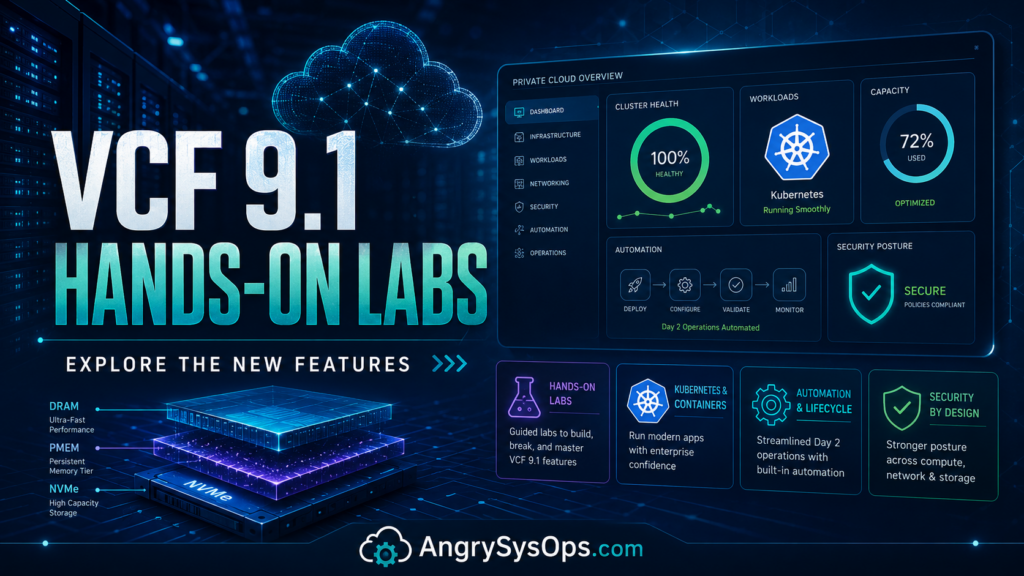
VMware Cloud Foundation 9.1 is now generally available, and VMware has already made three new Hands-on Labs available for anyone who wants to test the new features without building a full nested lab at home.
That is good news.
Because let’s be honest: reading release notes is one thing. Clicking through the interface, testing workflows, looking at the operational model, and seeing how the platform behaves is completely different.
VCF 9.1 brings a serious set of improvements around operations, Kubernetes, automation, security posture, log management, and memory tiering. The important part is that you can now explore these features directly in VMware Hands-on Labs without needing your own infrastructure, licenses, hardware, or a weekend sacrificed to nested ESXi troubleshooting.
VMware announced that three new VCF 9.1 labs are live now, covering what is new in the platform, Kubernetes updates, and memory tiering.
Why This Matters
VCF is becoming more than just a bundle of VMware products. With the 9.x release line, Broadcom is clearly pushing VMware Cloud Foundation as the central private cloud platform for enterprises.
That means the focus is no longer only:
“Can I deploy vSphere, vSAN, NSX, and Aria?”
The better question now is:
“Can I operate the whole stack from one place, automate application delivery, improve security posture, and reduce infrastructure waste?”
That is where VCF 9.1 becomes interesting.
The release focuses heavily on infrastructure efficiency, application delivery, cyber resilience, and operational simplification. VMware’s broader VCF 9.1 announcement highlights enhancements such as NVMe memory tiering, vSAN deduplication and compression improvements, VKS scale improvements, live application stack blueprints, compliance enforcement, and recovery-focused capabilities.
For admins, architects, and platform teams, this is exactly the kind of release that needs hands-on testing.
Not a slide deck.
Not just a PDF.
Actual lab time.
Lab 1: What’s New in VMware Cloud Foundation 9.1
The first lab is:
HOL-2701-01 — What’s New in VMware Cloud Foundation 9.1
This is the best place to start if you want a broad overview of the new release.
The lab focuses on the redesigned VCF Operations experience, which VMware describes as a new command center for operating the private cloud. It covers the new segmented interface areas such as Operate, Manage, Protect, and Build.
The key areas covered include:
- Unified VCF Operations interface
- Active Findings for diagnostics across vSAN, NSX, and ESXi
- Security Posture Management
- Automated compliance scoring
- One-click remediation
- Native log management based on OpenSearch
- VCF Automation workflows
- Namespace Self-Service
- Namespace Capture into reusable YAML blueprints
This is probably the lab most infrastructure engineers should do first.
Why?
Because it gives you the “how does this thing actually look and feel now?” experience.
And that matters. A platform can have great features, but if day-to-day operations are painful, admins will feel it quickly.
🚀 Follow Me on X – New Account
My previous X account @AngrySysOps was suspended.
I am continuing the same tech, cybersecurity, and engineering discussions under a new handle.
Follow @TheTechWorldPod on X for daily insights, threads, and podcast updates.
Lab 2: Kubernetes in VCF 9.1
The second lab is:
HOL-2702-01-VCF-L — Hands-On with Kubernetes: Essential Updates and Capabilities in VCF 9.1
This one is aimed more at platform engineering and modern application teams.
VCF 9.1 includes important improvements for vSphere Kubernetes Service, including scale and provisioning enhancements. VMware says VKS 3.6 can support up to 500 clusters and provide up to 70% faster provisioning.
The lab covers:
- VM Service
- Fast Deploy using Linked Clones
- Ubuntu workload deployment
- VKS 3.6 scale improvements
- Multi-network support
- Multiple vNICs for Kubernetes cluster nodes
- Separation of application, storage, and management traffic
- Regional Harbor setup
- Image replication rules
This is where VCF starts looking more like a real private cloud platform instead of only a virtualization platform.
For enterprise environments, Kubernetes is not going away. The real challenge is how to make Kubernetes operationally sane without creating another disconnected platform that nobody wants to manage.
That is why VKS inside VCF is worth watching.
Lab 3: Memory Tiering in VCF 9.1
The third lab is:
HOL-2703-01-VCF-L — Memory Tiering in VMware Cloud Foundation 9.1
This one is very interesting from an infrastructure economics point of view.
VCF 9.1 introduces memory tiering, allowing NVMe SSDs to act as a secondary memory tier. The idea is that hot memory stays in DRAM, while colder memory pages can move to NVMe, potentially improving VM density and reducing cost.
The lab includes:
- How the ESXi tiering engine works
- Cold and very cold memory page movement
- Enabling memory tiering at cluster level
- Memory mirroring for NVMe-tier redundancy
- Observability in VCF Operations
- Tier 0 vs Tier 1 performance tracking
- Simulation of cost savings and capacity gains
This is one of those features that sounds simple until you start thinking about real production design.
Questions I would want answered before using it in anger:
- Which workloads are safe candidates?
- How visible is the performance impact?
- How does this affect sizing?
- What happens during host failure?
- How good is the monitoring?
- Can I clearly prove cost savings before buying hardware?
That is exactly why the lab is useful.
Memory tiering could be a big deal, but it needs testing, validation, and proper workload classification. Nobody should enable this blindly across critical workloads just because it looks good in a marketing diagram.
My Take
VCF 9.1 feels like a release aimed at three big enterprise problems:
- Infrastructure is expensive
- Operations teams are overloaded
- Private cloud needs to feel more like a platform, not a pile of products
The Hands-on Labs are a good move because they lower the barrier to testing.
You do not need to deploy nested ESXi.
You do not need to fight with DNS, certificates, storage policies, or broken lab hardware.
You can just open the lab and see what VCF 9.1 is trying to become.
For admins and architects, I would treat these labs as required homework before planning any VCF 9.1 upgrade, migration, or design discussion.
Suggested Lab Order
If you are short on time, I would go in this order:
- HOL-2701-01 — What’s New in VCF 9.1
Start here to understand the new operational interface and overall platform direction. - HOL-2703-01-VCF-L — Memory Tiering
This is important for capacity planning, TCO discussions, and future hardware strategy. - HOL-2702-01-VCF-L — Kubernetes Updates
Do this if your organization is already using, planning, or arguing about Kubernetes on-prem.
Final Thoughts
VCF 9.1 is not just a cosmetic update. It continues the push toward a more integrated private cloud operating model.
The new Hands-on Labs give admins a safe way to explore the platform before touching production. That is always the right approach.
Break it in the lab.
Understand the workflows.
Check the operational impact.
Then decide what belongs in production.
Because production is not the place to discover that a “simple platform enhancement” has three hidden dependencies and a certificate problem waiting behind the curtain.