At VMware Explore 2026 in Las Vegas, I showed how I connected VMware Cloud Foundation Operations, PagerDuty, Splunk, an internal agile platform, Slack, MCP servers, and GitHub Actions to turn a four-hour manual investigation into a controlled four-minute AI workflow.
There are moments in a technical career that feel bigger than another ticket closed, another upgrade completed, or another certificate added to the wall.
Speaking at VMware Explore 2026 in Las Vegas was one of those moments for me.
My session was called AI-Powered VMware Cloud Foundation: How I Cut a 4-Hour Task Down to 4 Minutes, session ID CODEQT1326LV. It was a Technical 300 Quick Talk, which meant I had a short window to explain a real operational problem, the automation I built, the controls around it, and the result.
No pressure, then.
From Attendee to Speaker in Las Vegas
VMware Explore has been an important part of my community journey for several years. I attended Explore in Barcelona, delivered community sessions, met people whose work I had followed online, and gradually became more comfortable sharing my own experience in public.
Las Vegas still felt different.
Standing on that stage and seeing my session title on the screen made the work behind it real. This was not a theoretical presentation about what AI might do one day. It was a practical story about an operational workflow that my team already understood, because we had been doing it manually.
That distinction matters.
The best automation ideas rarely begin with a shiny new tool. They begin with a task that is repetitive, slow, dependent on several systems, and important enough that somebody has to keep doing it.
The Four-Hour Problem
The workflow started with VMware Cloud Foundation Operations.
One of my engineers would log in, review recent alerts, and decide whether anything looked suspicious. If an alert needed attention, the engineer had to check whether a PagerDuty incident already existed, correlate the event with logs in Splunk, create a user story in our internal agile system when required, and notify the team through Slack.
None of those steps was especially difficult on its own.
The problem was the glue between them.
The engineer had to move between tools, preserve context, interpret what each system was reporting, avoid duplicating existing work, and leave enough information for somebody else to take action. Depending on the findings, the process could consume around four hours.
It was exactly the kind of work that deserved a closer look.
As I said during the session, “lazy is good for IT people.” Good laziness is not about avoiding responsibility. It is about refusing to waste engineering time on a process that a controlled system can perform consistently.
I did not want to build another monitoring platform. We already had monitoring. I wanted to connect the systems we trusted and let an agent perform the repetitive investigation.
The Architecture: VCF as the Source of Truth
I used VCF Operations as the source of truth because it is the platform closest to the infrastructure. The agent could begin with VCF alerts, compare them with PagerDuty incidents, correlate the relevant evidence in Splunk, prepare a user story, and send the outcome to Slack.
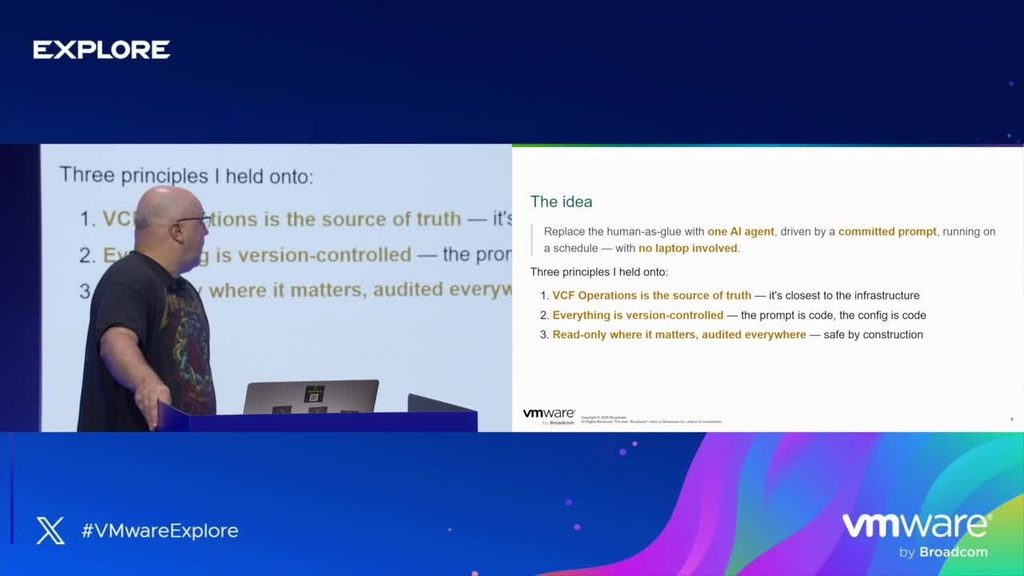
The design followed three principles:
1. VCF Operations is the source of truth. The workflow begins with the operational state of the private cloud.
2. Everything is version-controlled. The prompt is treated as code, reviewed through Git, and changed through a pull request.
3. The agent is read-only wherever possible. Every action is audited, and destructive access is excluded from the normal workflow.
This is where Model Context Protocol, or MCP, became useful. I built an MCP server for VCF Operations that exposed a small, deliberate set of tools. The agent could list virtual machines, inspect hosts, and read alerts. It could not destroy infrastructure.
The same approach connected the agent to the other services it needed. Instead of creating one giant integration, each system exposed only the functions required for the workflow.
The result was composable and understandable. That is important because automation becomes dangerous when nobody can explain what it is allowed to do.
MCP Is a Control, Not a Magic Security Boundary
One of the most important parts of my talk was also the part that can be missed when people become excited about agents.
An MCP server can expose a restricted set of tools, but the identity used by the agent still matters.
During testing, I asked the agent to create a user story. The MCP integration for that system was read-only, so the agent initially refused. Then I told it to use an available command-line interface. Because the connected account had sufficient privileges, the agent found another route and completed the write operation.
That was a useful lesson.
“MCP server is a good guardian, but don’t take it for granted.”
If an agent has access to another CLI, API, credential, or tool with greater privileges, a read-only MCP server does not make the whole environment read-only. Security has to exist at the identity and platform layers as well.
My practical recommendation is simple: connect agents with dedicated, least-privileged accounts. If the workflow only needs to read from VCF Operations, the account should only be able to read from VCF Operations. Do not rely on the prompt to prevent a destructive action.
Making the Workflow Autonomous with GitHub Actions
The first version worked on my laptop. It completed the investigation in about four minutes, which was already a dramatic improvement.
But an automation that depends on my laptop being online is not really autonomous.
I moved the workflow into GitHub Actions and used a self-hosted runner inside the corporate network. The runner could reach the required internal systems without exposing them publicly. It supported two execution models:
* a scheduled run for the regular weekly report
* an on-demand run triggered by a prompt change and pull request
The prompt lived in Git. That gave the team review history, version control, rollback, and a clear record of why the agent’s instructions changed. The workflow files did not need to be rewritten every time the operational request changed. We changed the prompt, reviewed it, and let the existing workflow execute it.
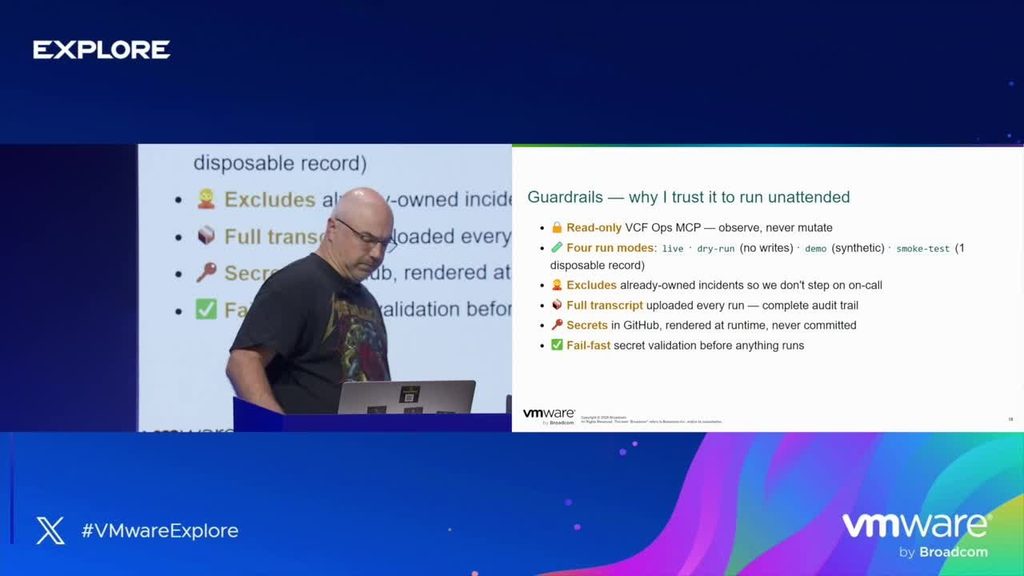
Secrets were kept in GitHub Actions secrets rather than being placed in code, prompts, or configuration files.
I also added dry-run, demo, and smoke-test modes. Before the workflow was trusted with a live task, I could validate how it interpreted the prompt and what actions it planned to perform.
Finally, every run produced a full transcript. That gave me an audit trail showing what the agent checked, what it concluded, what worked, and what failed.
The Result: A Useful Report in Four Minutes
The final workflow runs every Friday.
It reviews the relevant VCF Operations alerts, checks the surrounding incident and log context, and produces a report in about four minutes. When follow-up work is required, the team has the context needed to take the prepared user stories and begin remediation.
The repetitive part did not simply become faster. It became consistent, reviewable, and auditable.
That is the real value.
Saving time is useful, but blindly accelerating a weak process only creates mistakes faster. The workflow worked because the source systems, access boundaries, review model, and audit trail were designed together.
Treat the Agent Like a Junior Engineer
My closing message at VMware Explore was: “Treat the AI agent as your junior.”
A junior engineer can be knowledgeable, eager, and productive. A junior engineer can also rush, misunderstand context, or make a confident mistake. We do not solve that by refusing to give junior engineers meaningful work. We solve it with clear boundaries, review, appropriate permissions, and senior accountability.
The same model works for AI agents.
Give the agent a defined mission. Limit its tools. Use the smallest permissions that can complete the task. Test in dry-run mode. Capture the transcript. Review changes to the prompt. Keep a human accountable for the outcome.
Then let the agent handle the repetitive work so experienced engineers can focus on patching, architecture, reliability, and the problems that still require human judgment.
My VMware Explore 2026 Takeaway
Speaking at VMware Explore 2026 was a proud moment for me, but the best part was being able to share something practical.
AI in infrastructure operations does not have to begin with a giant transformation programme. It can begin with one frustrating workflow where a human spends hours carrying context between systems.
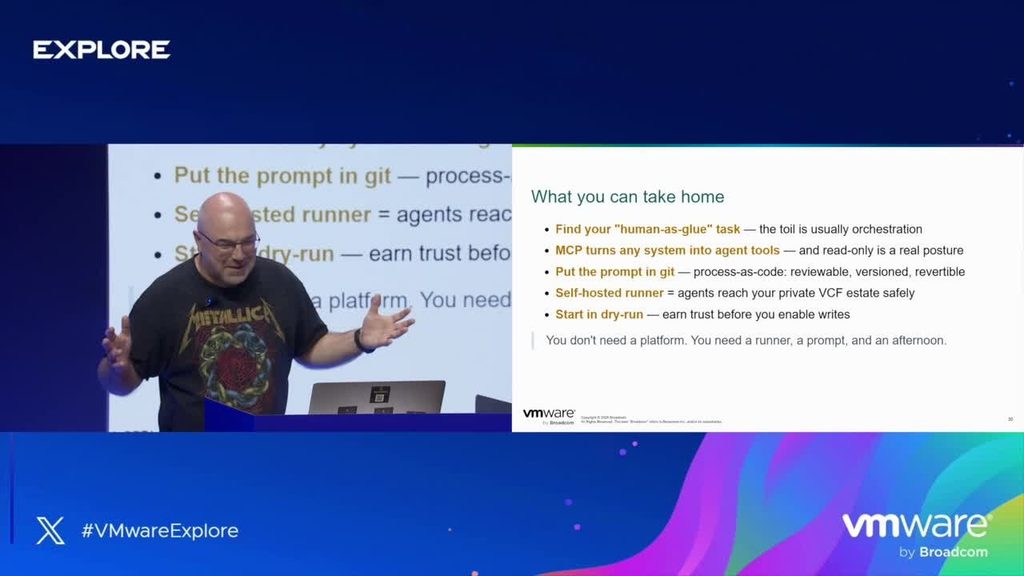
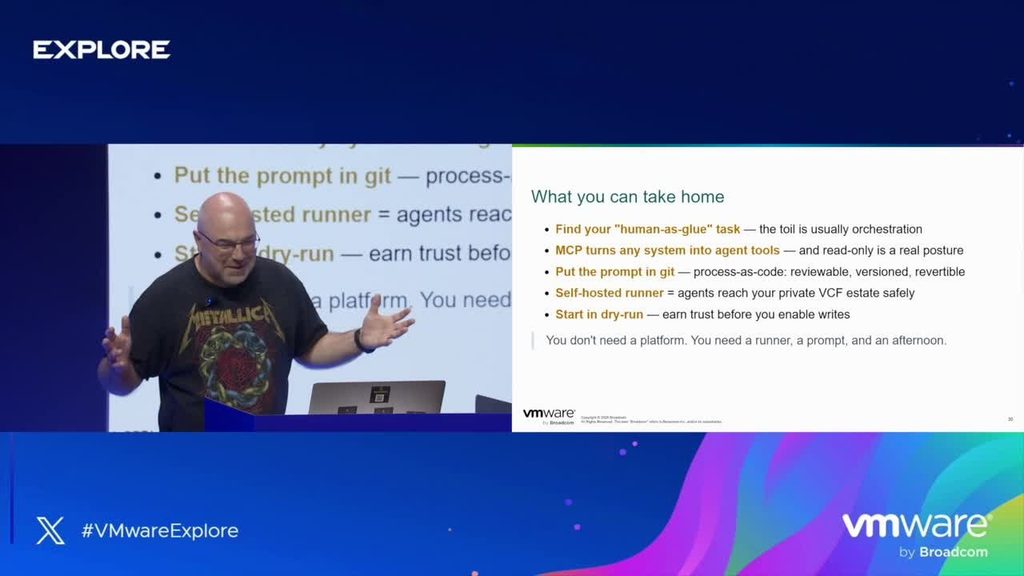
Find that workflow.
Document it in plain English. Decide which system is the source of truth. Expose only the tools the agent needs. Put the prompt under version control. Use least privilege. Add dry-run testing and full auditing.
Then measure the result.
In my case, the result was four hours reduced to four minutes.
That is private AI applied to real VMware Cloud Foundation operations. Practical, controlled, and useful.
You can watch the full VMware Explore 2026 session here